Help & How-To Guide
Find answers and learn how to get the most out of Nodeland
Getting Started
How to Connect Nodes
Learn how to connect nodes in your mind maps.
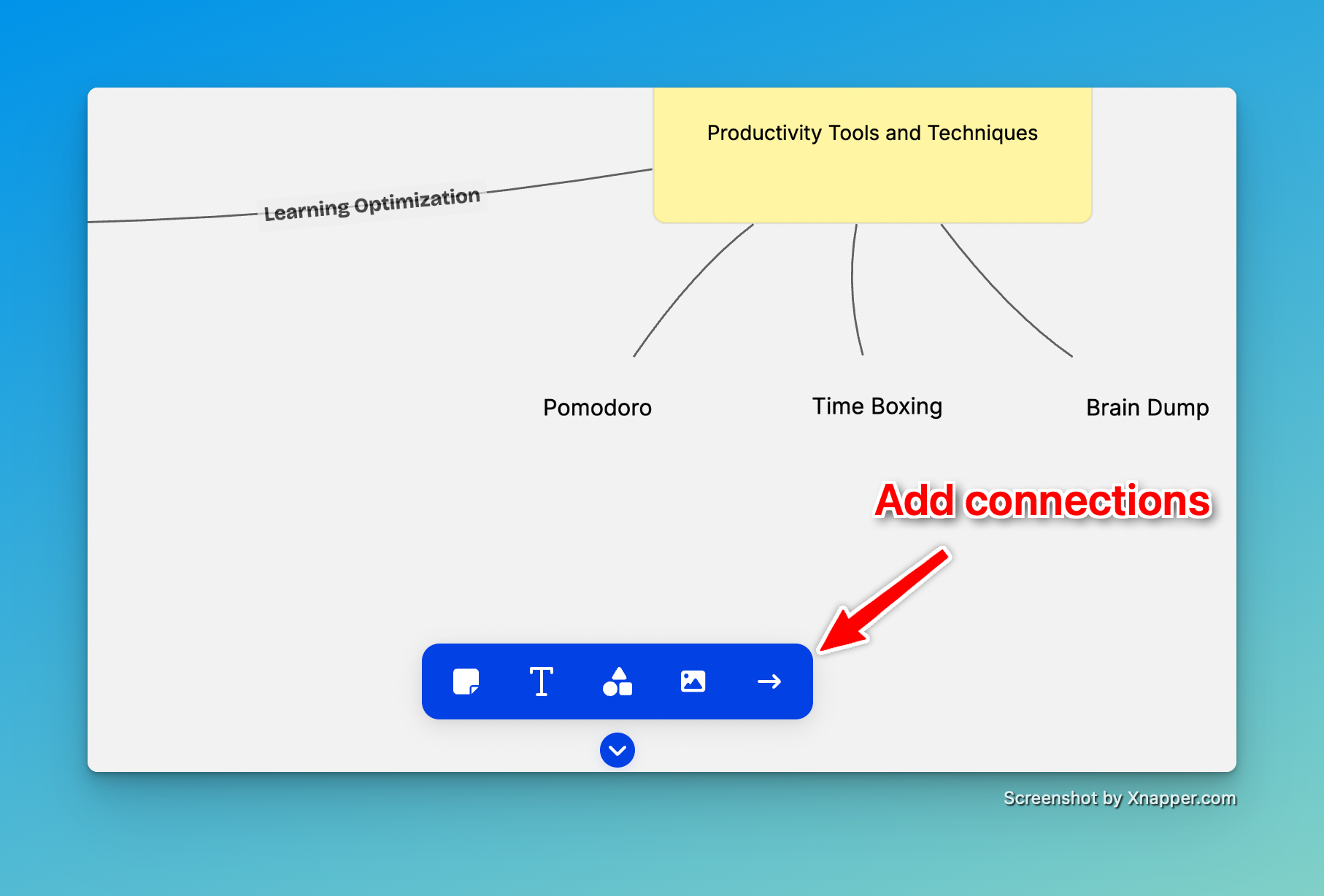
There are two ways to connect nodes in Nodeland:
Select Arrow Tool:
By selecting the arrow tool in the toolbar, it is possible to connect nodes by dragging the arrow from one node to another. It is also possible to add an arrow that is not linked to any node.
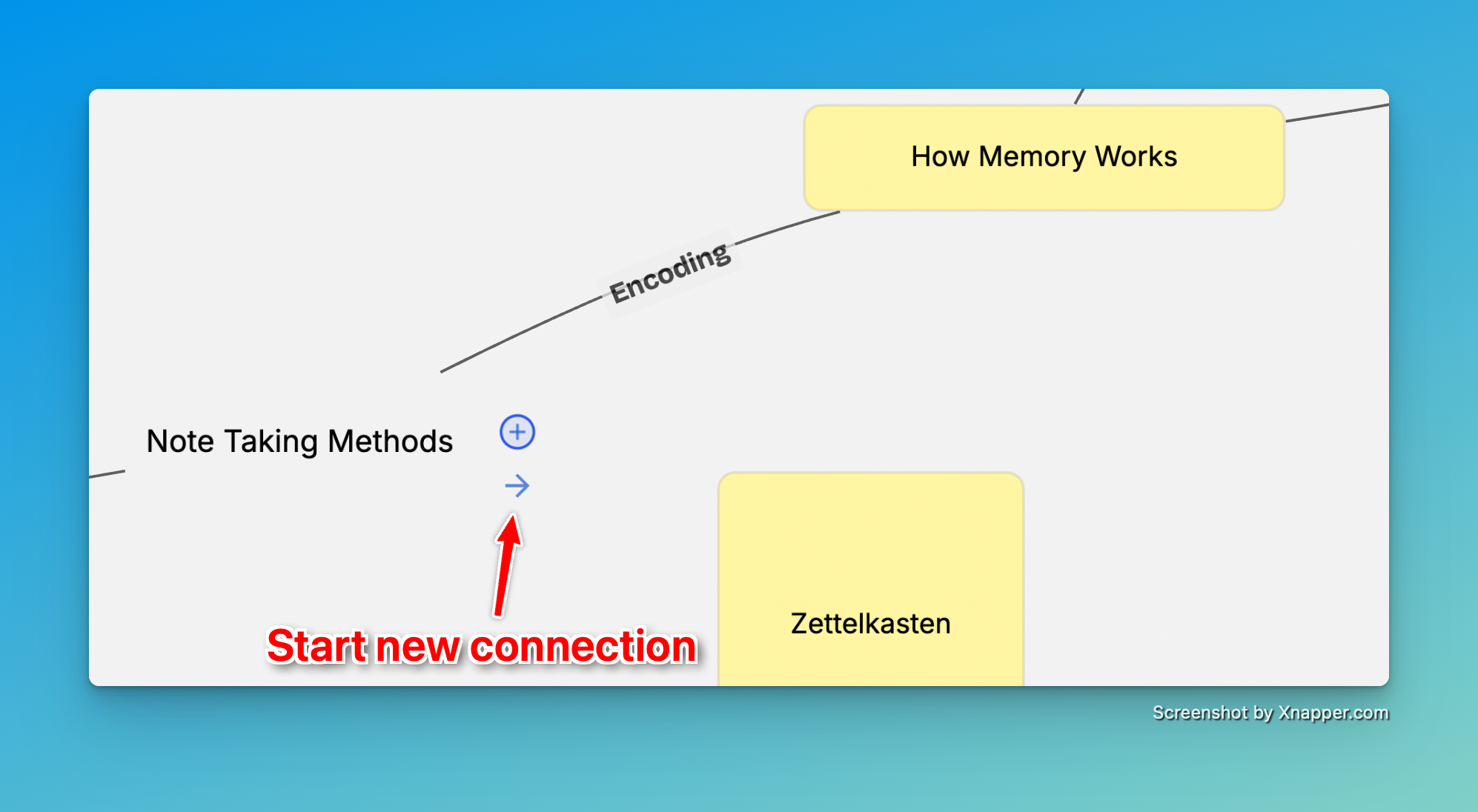
Hover Over Node and Click on the "arrow" icon:
By hovering over a node, a floating "arrow" icon will appear. Clicking on it will add an arrow from this node to next
How to Add Attachments
Learn how to add attachments to your nodes.
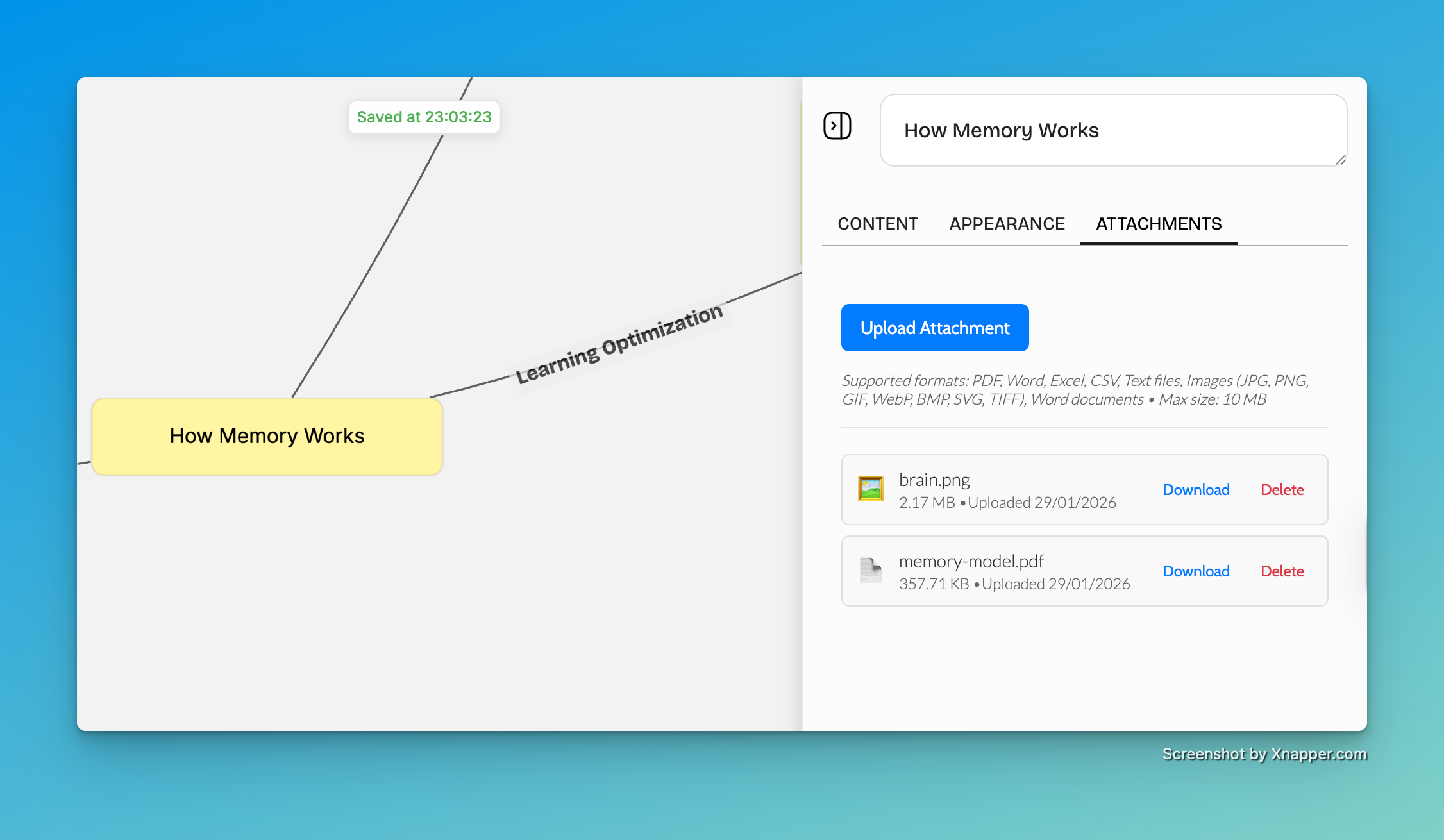
To add attachments to your nodes:
- Click on the node you want to add an attachment to
- Click on the "Attachments" tab
- Click on the "Upload" button
- Select the file you want to upload
Sharing
How to Share a Map
Share your mind maps with others using public links or by inviting collaborators.
To share a map:
- Open the map you want to share
- Click on the 'Share' button (next to the map name)
Public Sharing:
Toggle as 'Public' to make the map visible to anyone with the link. Copy the link and share it with anyone.
Collaborative Sharing:
Under the section "members", enter email addresses of people you want to invite. Choose permission level:
- Viewer: Can only view the map
- Editor: Can edit nodes and content
The invited users will receive an email invitation.
How to Embed a Map
Embed your Nodeland mind maps into websites, blogs, or other platforms using iframe codes.
To embed a Nodeland map on your website:
- Make sure your map is set to 'Public' (see 'How to Share a Map')
- Open the map you want to embed
- Click on the 'Share' button
- Select the 'Embed' option
- Copy the iframe code provided
- Paste the code into your website's HTML where you want the map to appear
Embedding Options:
- You can customize the width and height in the iframe code
- The embedded map is interactive: viewers can zoom and pan
- Updates to your map will automatically reflect in the embedded version
Example iframe code: <div style="display: flex; flex-direction: column; align-items: center; justify-content: center; background-color: transparent; padding: 10px; border: none;" > <iframe src="https://nodeland.io/maps/0b395e9a-23a0-4a1a-90d1-332f9fd3e832?presentationMode=true" width="600px" height="400px" ></iframe> <a style="margin-top: 10px; color: #0141E3; text-decoration: none; font-weight: 500; font-size: 14px;" href="https://nodeland.io" target="_blank">Powered by NodeLand </a> </div> Result:
Exporting
How to Export a Map
Export your document in various formats.
Export your Nodeland maps to use or present them elsewhere:
Export Board:
- Open the map you want to export
- Click on the menu (three horizontal bars) next to the map name.
- Choose "Export" and then your export format:
- PNG: High-quality image file
- JPG: High-quality image file
- JSON: Raw data format for backup or for usage in other tools
------------------------------------------------------------
Export Nodes (content only):
- Open the map you want to export
- Click on the menu (three horizontal bars) next to the map name.
- Choose "Export" and then "Export Notes"
- Select the nodes you want to export
- Choose the format you want to export:
- HTML
- Markdown
Workspaces
How to Use Workspaces
Learn how to use workspaces to organize your maps.
Workspaces are a way to work in different projects or teams. Visit
<a href="https://nodeland.io/workspaces" target="_blank">https://nodeland.io/workspaces</a> to create a new workspace or manage your existing workspaces.
How to Set a CNAME
Use NodeLand with your own domain.
Users with premium plans can use custom domains for their workspaces. This way, it is possible to use NodeLand on your own domain.
To set a CNAME:
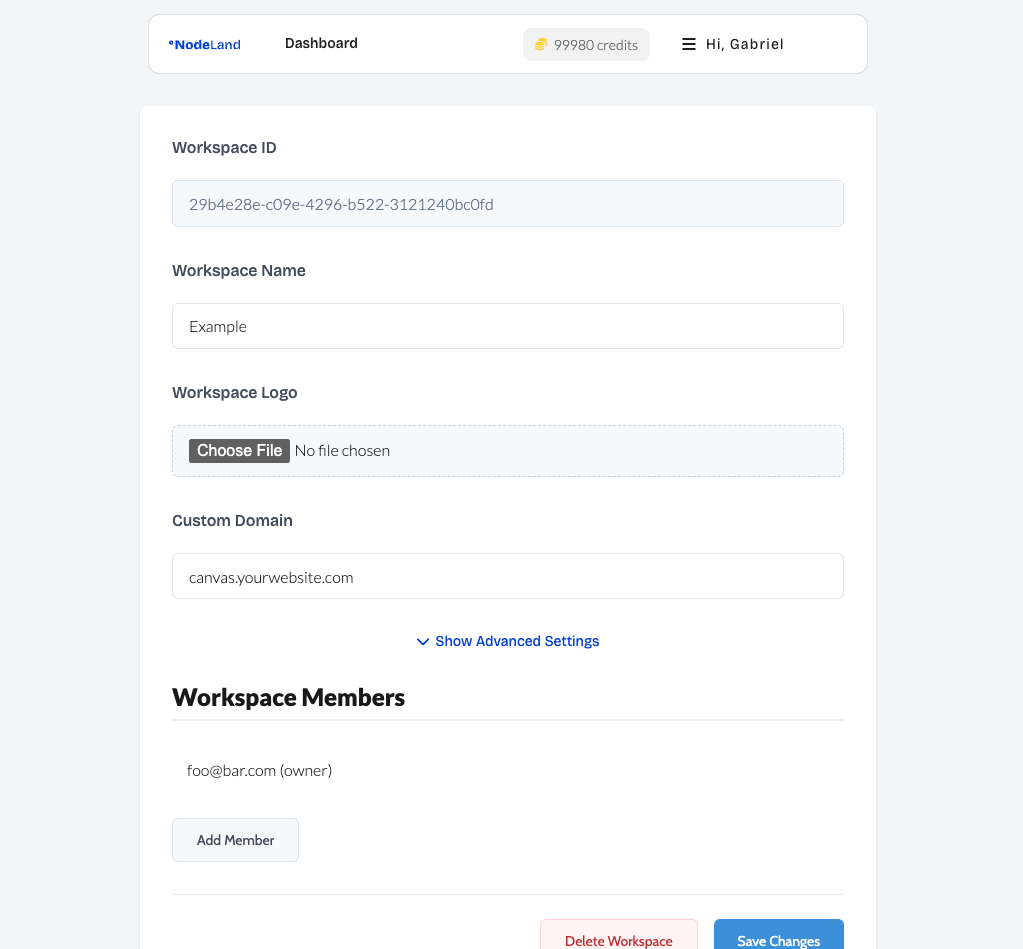
- Go to your workspace settings
- Click on the "Custom Domain" tab
- Enter your custom domain
- Click on the "Save" button
- You will receive an email with the CNAME record to add to your DNS settings.
- Add the CNAME record to your DNS settings
- Wait for the DNS to propagate
How to Set a Custom Logo
Use a custom logo for your workspace.
Users with premium plans can use a custom logo for their workspace.
To change your workspace logo:
- Go to your workspace settings
- Uploar a new logo
- Click on the "Save" button